7 Apps Behind My AI Workflow
The seven apps I use around AI every day, from Paste and Wispr Flow to Screenpipe, Granola, 1Password, CleanShot X, and Tella.
Aug 16, 2026
7 min read
Updated Sep 18, 2026
My laptop died last month. When I set up the replacement, the first four apps I reinstalled were Paste, CleanShot X, Wispr Flow, and 1Password.
They are not the exciting answer people expect when they ask about my AI setup. Nobody is breathlessly refreshing TechCrunch for clipboard news. But I use them more than most of the AI apps people actually want me to name.
I made a short video about the original four:
The longer list has three more: Screenpipe, Granola, and Tella. Together, the seven apps handle the annoying gaps around AI work: getting an idea out, showing what I mean, finding something I lost, remembering what happened, sharing the result, and giving an agent access without leaving a password in a text file.
Some of them use AI. That is not really the point. These are the tools I notice when they are missing.
Disclosure: Some links in this post are affiliate links. If you use one, I may earn a commission at no extra cost to you.
1. Paste
I am constantly copying and pasting prompts, images, links, error messages, bits of writing, and commands. The normal clipboard remembers exactly one of them, which feels slightly ridiculous once you get used to having a history.
Paste keeps that history searchable across my Mac, iPhone, and iPad. I do not have to stop and think about whether I copied something else after the thing I actually need. I just search for it.
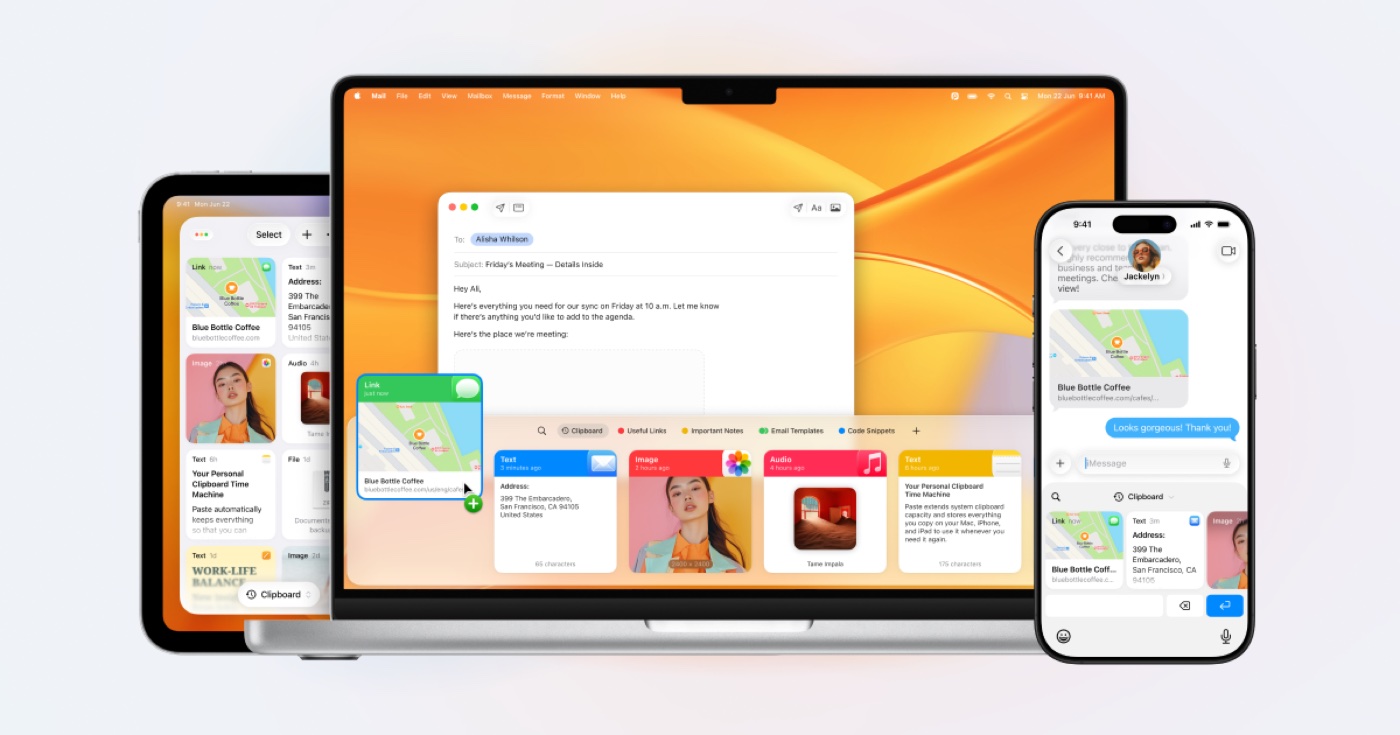
This saves a tiny amount of time dozens of times a day. More importantly, it lets me move quickly without treating every copied fragment like a precious object.
2. CleanShot X
AI is surprisingly good at interpreting a badly drawn box on a screenshot.
When I am building something and a section is wrong, I can write three paragraphs explaining which white space I mean. Or I can use CleanShot X, circle the problem, draw an arrow, and drop the image into the agent conversation.
I used it while editing the video above. The first cuts kept showing a huge pale background around one of the app windows. I drew a box around the exact part I wanted kept. That screenshot became the specification, and the next version was right.

CleanShot is also useful for ordinary screenshots and screen recordings, but this is why it earns its place for me: fast visual feedback with almost no room for interpretation.
3. Wispr Flow
I barely type anymore.
Wispr Flow lets me dictate into almost any text field on my computer or phone. I use it for prompts, feedback, messages, article notes, issue descriptions, and the rough first version of nearly everything.
My dashboard now shows 2,489,134 dictated words. I speak around three to four times faster than I type, but speed is only part of it. Talking gets the whole thought out before I start editing it into something smaller and less useful.
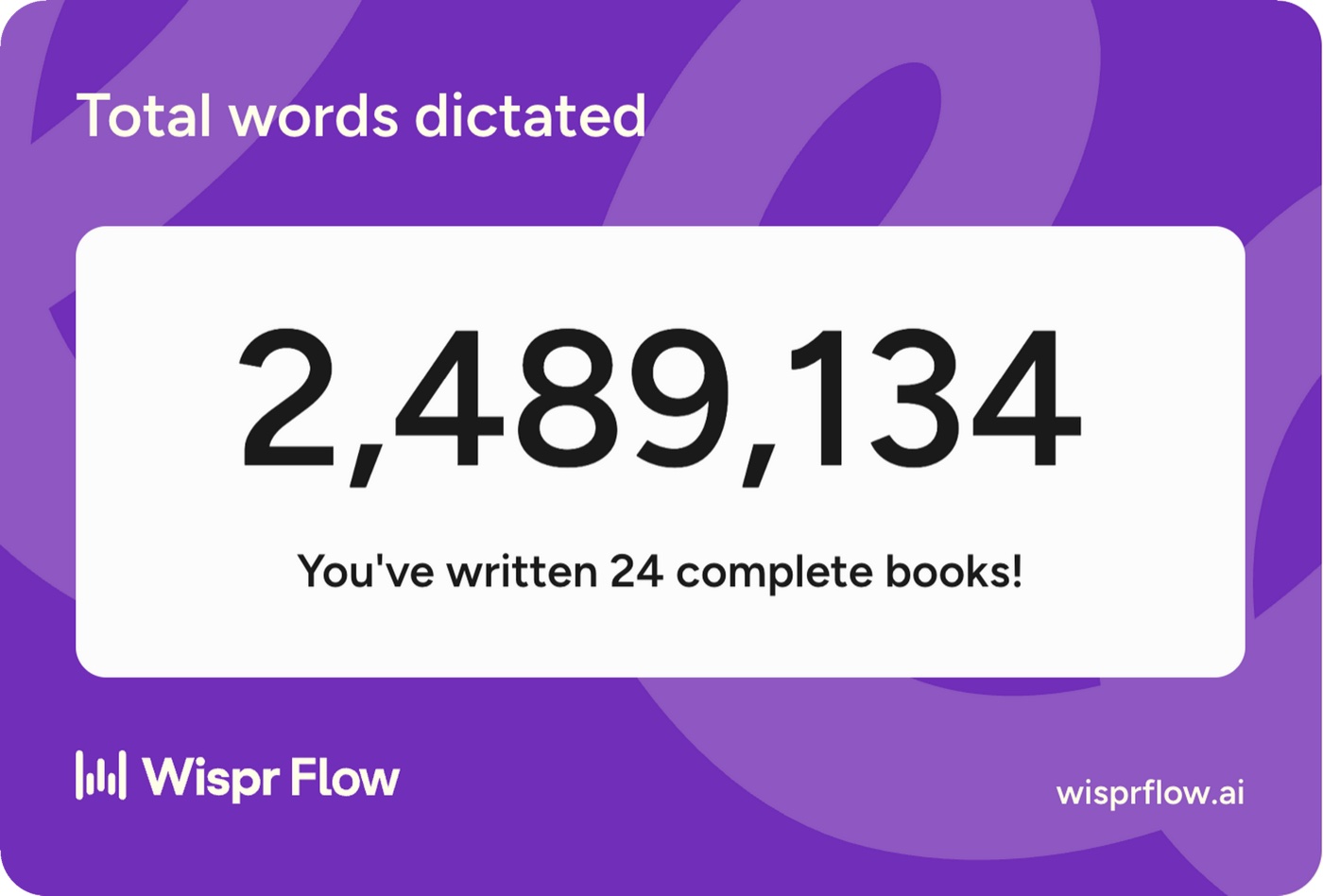
I built a voice analytics dashboard from my Wispr Flow history because apparently dictating millions of words was not enough. I also wanted charts.
4. 1Password
Once an agent can do real work, it eventually needs credentials. That does not mean it needs every credential.
I have used 1Password for years. Now I also use it to keep API keys out of plaintext files and give different agents access to different vaults and services.
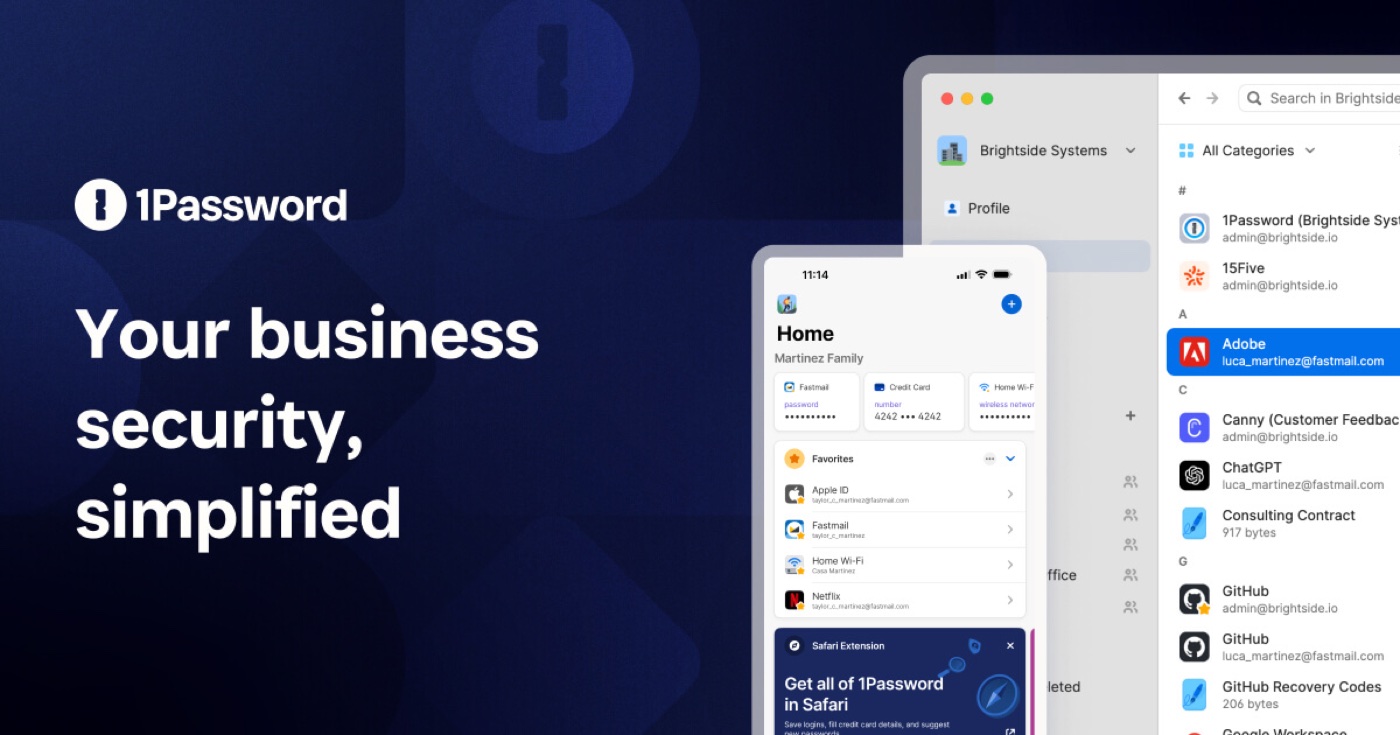
The agent deploying a website does not need banking credentials. The agent pulling data from an API does not need the keys for every other system I use. Scoped access sounds boring until the alternative is pasting a master key into a prompt and hoping for the best.
I use the same setup in my larger agent system: 1Password holds the secrets, and each agent gets the access its job requires.
5. Screenpipe
Paste remembers what I copied. Screenpipe remembers what happened on my computer.
It records my screen and audio in the background, stores the history locally, and makes it searchable. That means I can recover the page I saw yesterday, reconstruct what I worked on, or find the useful thing I said out loud and never wrote down.
This has become especially useful with agents. Instead of relying on my cleaned-up memory of a day, I can give them a read-only copy of the actual record. My current setup mirrors a local Screenpipe database backup so the agents can search it without getting direct access to my laptop.
6. Granola
Screenpipe catches the ambient mess. Granola gives meetings structure.
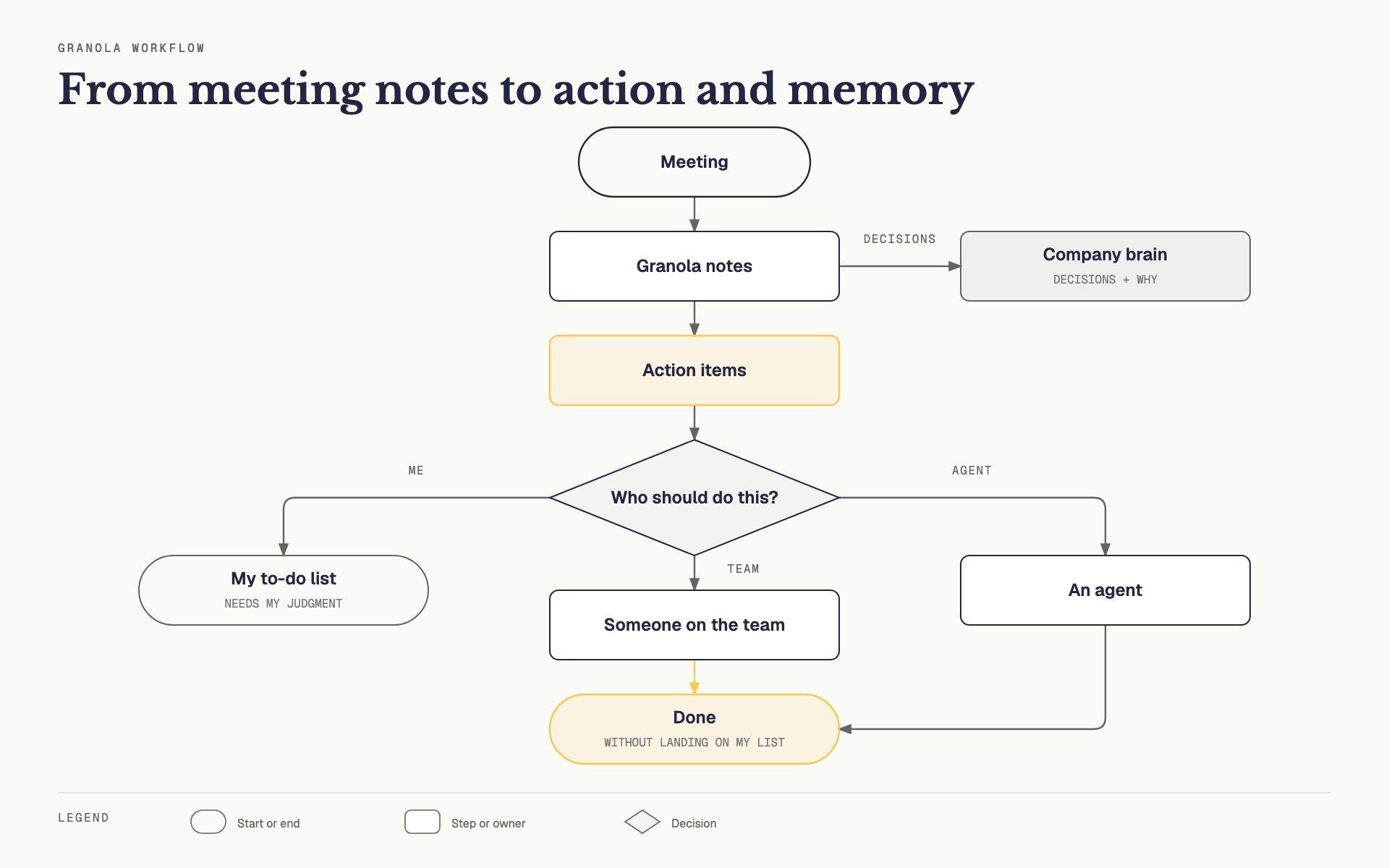
I used to leave a meeting with half a page of notes and the lingering question: did we decide that, or did we just discuss it? Granola gives me a clean record of the transcript, decisions, and action items. I can add rough notes during the call and it folds them into the finished document.
The main benefit is that I can pay attention to the conversation. The more interesting benefit is what happens afterward. I move the notes into a to-do list automatically, but it is not automatically my to-do list. If a task needs my judgment, it comes to me. If someone on the team or an agent can handle it, they pick it up instead.
I can also use those meetings to build a company brain automatically. Decisions and why we made them become shared context instead of getting lost in someone’s personal notes.
In some cases, the to-do list arrives looking suspiciously like a done list.
7. Tella
Tella is the app I open when I need to explain something on video without turning it into a film production.
The source recording for the video at the top of this post was a six-minute Tella export full of repeated starts, overlapping versions, tangents, and alternate explanations. That was useful. I could get the whole thing out first and find the clean route afterward.
That is how I use Tella most often: record the screen or camera, talk through the thing, and leave myself enough material to shape later. It makes it much easier to show a product, explain a process, or send somebody a walkthrough while the details are still fresh.
It feels appropriate that the seventh app is the one I used to talk about the first four.
How the seven fit together
A normal loop looks something like this:
- I dictate the request with Wispr Flow.
- I grab old context from Paste.
- I mark the visual problem in CleanShot.
- If I have forgotten what happened, I search Screenpipe or pull the meeting from Granola.
- 1Password gives the agent only the credentials it needs.
- If the result is easier to show than describe, I record it in Tella.
The model in the middle will keep changing. The surrounding problems are much less glamorous and much more stable: memory, input, feedback, access, and communication.
If your own stack already feels bloated, do not install seven new things because I did. Run a 30-minute tooling audit and find the friction that is actually costing you time. Then fix that one.

Written by
Cathryn Lavery
Cathryn went from designing buildings to architecting products. She founded BestSelf, bought it back from private equity in 2024, and rebuilt it AI-native. She's currently building something new in AI. Little Might is where she doesn't have to keep it all in her head.
Related reading
-
Apr 15, 2026
Screenpipe: Your Computer Finally Has a Memory
-
Apr 13, 2026
What Is g-brain? Garry Tan's gbrain, Explained
-
Apr 6, 2026
The Garry Tan Stack: A Definitive Guide to gstack
-
Apr 4, 2026
AI Automation Examples: 9 Specific Business Cases (With Real Numbers)
-
Sep 9, 2026
YC Summer 2026: the full batch, plus 7 of my favorites